How AI, conceptual models, and UX can help novice users develop code
Background & Motivation - the PrOMMiS project
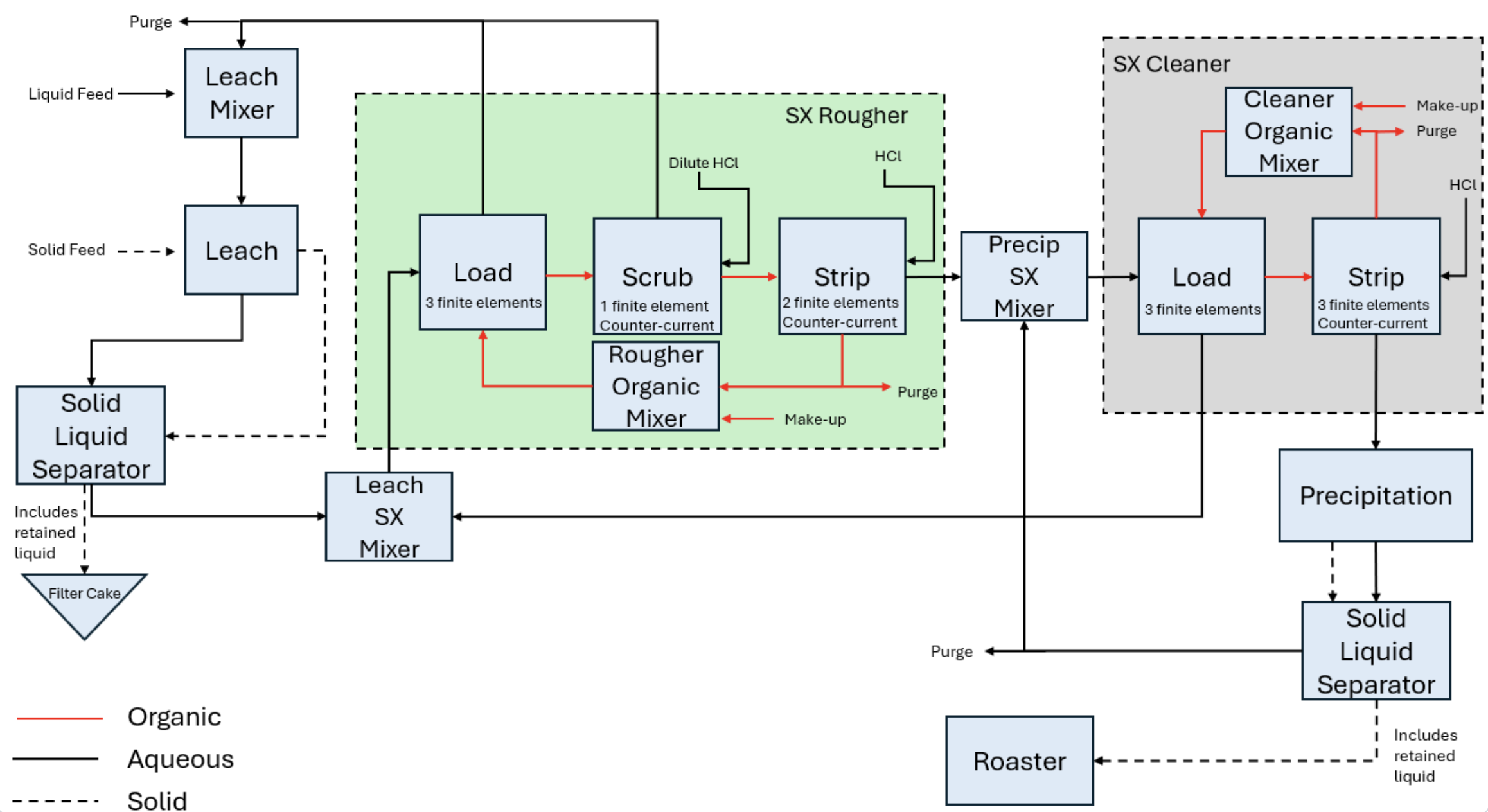
Stories about rare earth materials have been all over the news in recent years. Although these elements aren't actually that rare, refining them into usable products requires extracting and processing them from raw materials, and these capabilities are much more scarce. Building the infrastructure for such processes demands significant time and investment. Traditionally, engineers have relied on prototypes and physical models built at multiple scales to test and validate new processing systems before full-scale implementation.
Computational simulation and optimization can help. The PrOMMiS project is a multi-institutional collaboration developing a software modeling platform to accelerate the design and deployment of extraction and purification processes for critical minerals and rare earth elements. At its core is a Python-based library that represents these systems as mathematical equations, enabling computational methods such as optimization to help engineers and planners better understand and work with process models.
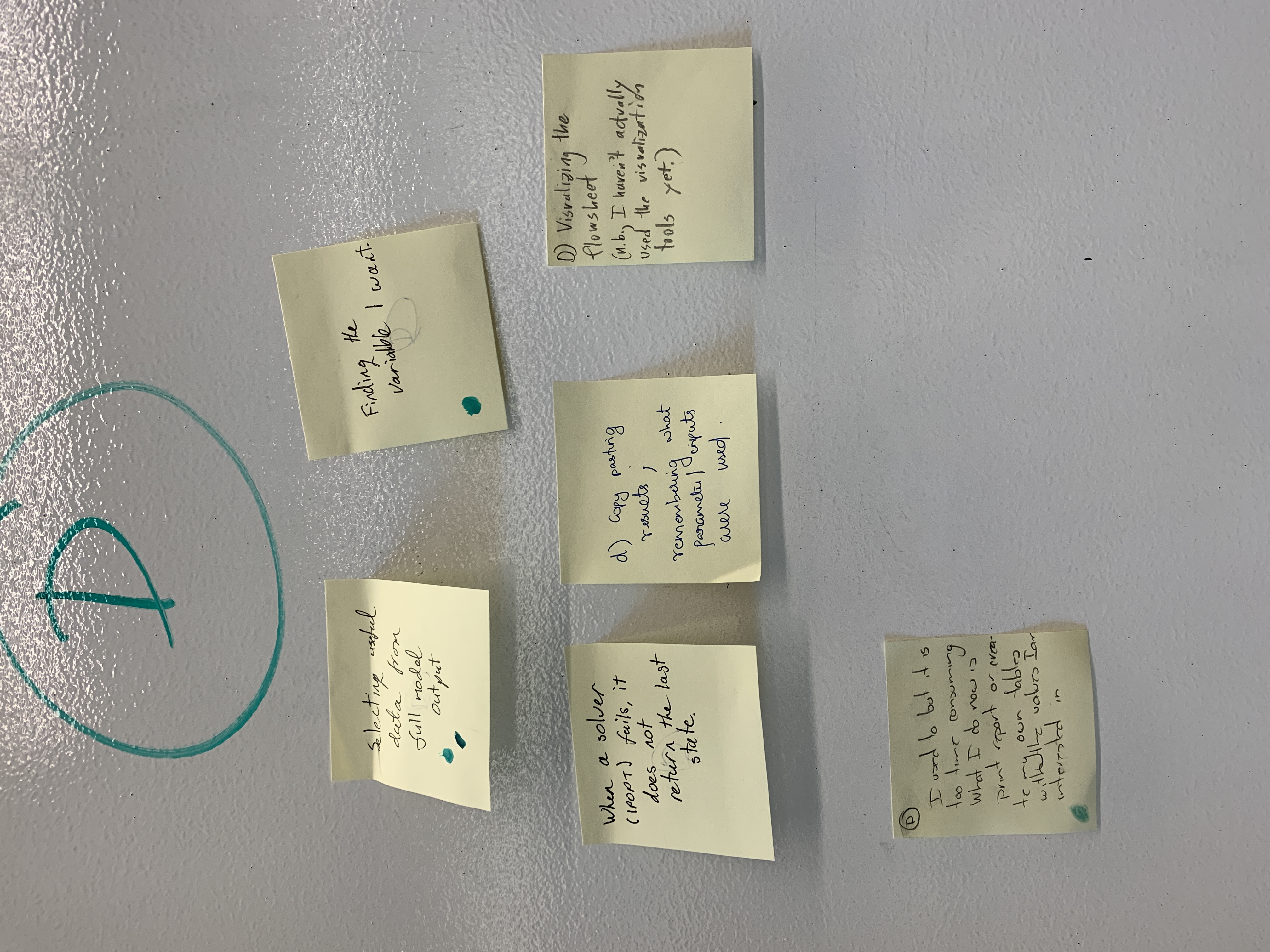
Although these methods are powerful, they come with a steep learning curve. Many experienced process engineers are not well-versed in programming or computational optimization techniques. Across numerous interviews, workshops, and meetings, we consistently heard about challenges in learning these libraries and in understanding or debugging the resulting models. A drag-and-drop UI could help simplify building models, but the models themselves can still feel like black boxes — difficult to fully inspect or understand.
AI and Conceptual models as powerful partners for non coders
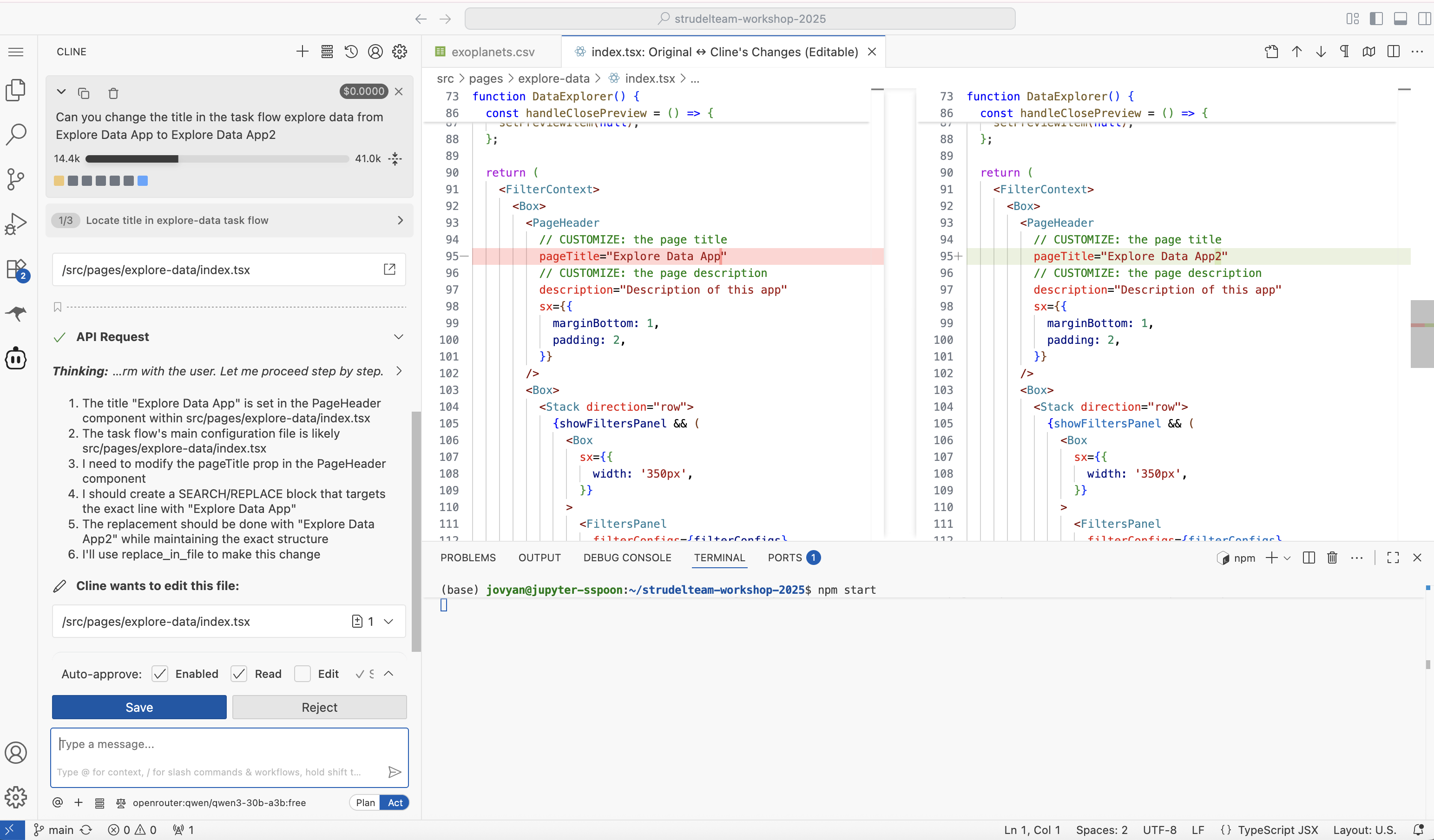
Using agentic AI to help write code is becoming increasingly common, especially when working with unfamiliar codebases and libraries. In response to a prompt, AI agents often provide a narrative explanation of the changes they suggest and why they made them. When integrated into an IDE such as VS Code, they may also generate code diffs so users can visually verify the updates.
This approach could be a major step forward in helping new users work with the PrOMMiS framework. However, code diffs alone may not provide enough context for users to fully understand or verify the changes the AI agent makes on their behalf.
This led me to reflect on my experiences using agentic AI to update frontend web code. Even when I didn’t fully understand the code modifications being suggested, I could view the resulting UI changes and confirm that the changes were what I intended. Having a visual representation of the interpreted code — or a conceptual model that abstracts the system’s behavior — provides an important bridge, helping people use AI more confidently in code development.
Early UX ideation on a conceptual model design for PrOMMiS
There’s still a lot of work to be done, but below is a sneak peek at what a conceptual model for PrOMMiS could look like.
When developing this visual conceptual model, I focused on use cases that were most common among novice users — specifically, the areas where they tended to struggle most. These insights came from interviews with both new users and the mentors who frequently support them. One recurring challenge was that beginners often had difficulty changing variables and constraints without violating the system’s bounds.
With this in mind, I defined a few key design goals:
- Design a domain-specific UI that summarizes the main concepts and relationships within the system.
- Show how the conceptual model could be integrated into a developer tool powered by an AI agent.
- Provide a way to highlight which aspects have been modified by the AI agent for inspection and verification.
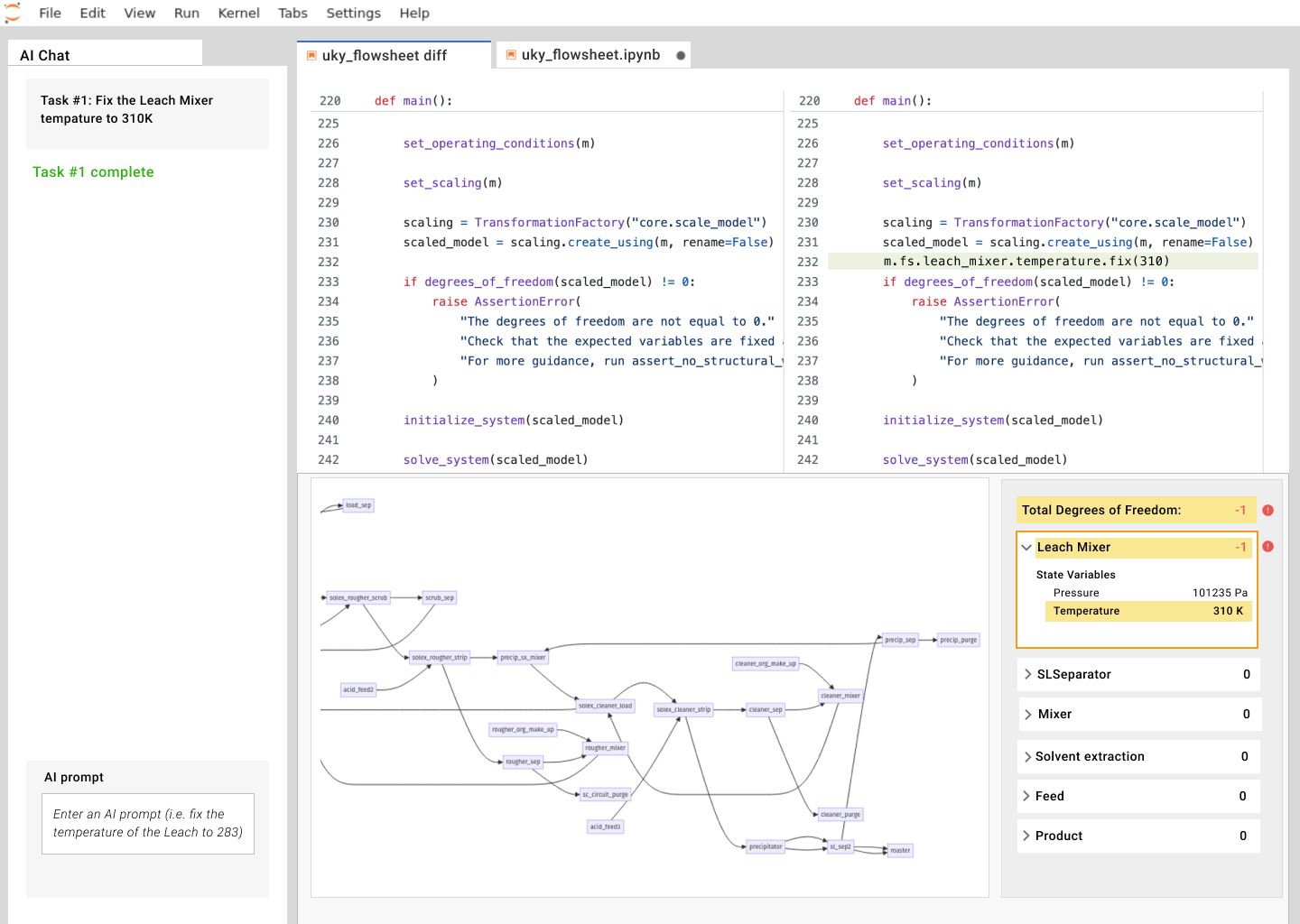
A mockup showing early explorations of the results of an AI-generated code change. The top panel displays the modified code, while the bottom illustrates a conceptual model of that code. Orange highlights indicate the areas affected by the code changes in the conceptual model. In this example, the change introduces issues in the system that are not obvious just by inspecting the code or even the generated output when the code is run. These are now flagged for review.